0.2 How to Use This Book
Tip
For the best reading experience, it is recommended that you read through this section.
0.2.1 Writing Style Conventions
- Titles marked with
*are optional sections with relatively difficult content. If you have limited time, you can skip them first. - Technical terms will be in bold (in paper and PDF versions) or underlined (in web versions), such as array. It is recommended to memorize them for reading literature.
- Key content and summary statements will be bolded, and such text deserves special attention.
- Words and phrases with specific meanings will be marked with "quotation marks" to avoid ambiguity.
- When it comes to nouns that are inconsistent between programming languages, this book uses Python as the standard, for example, using
Noneto represent "null". - This book partially abandons the comment conventions of programming languages in favor of more compact content layout. Comments are mainly divided into three types: title comments, content comments, and multi-line comments.
0.2.2 Learning Efficiently with Animated Illustrations
Compared to text, videos and images have higher information density and structural organization, making them easier to understand. In this book, key and difficult knowledge will mainly be presented in the form of animated illustrations, with text serving as explanation and supplement.
If you find that a section of content provides animated illustrations as shown in Figure 0-2 while reading this book, please focus on the illustrations first, with text as a supplement, and combine the two to understand the content.
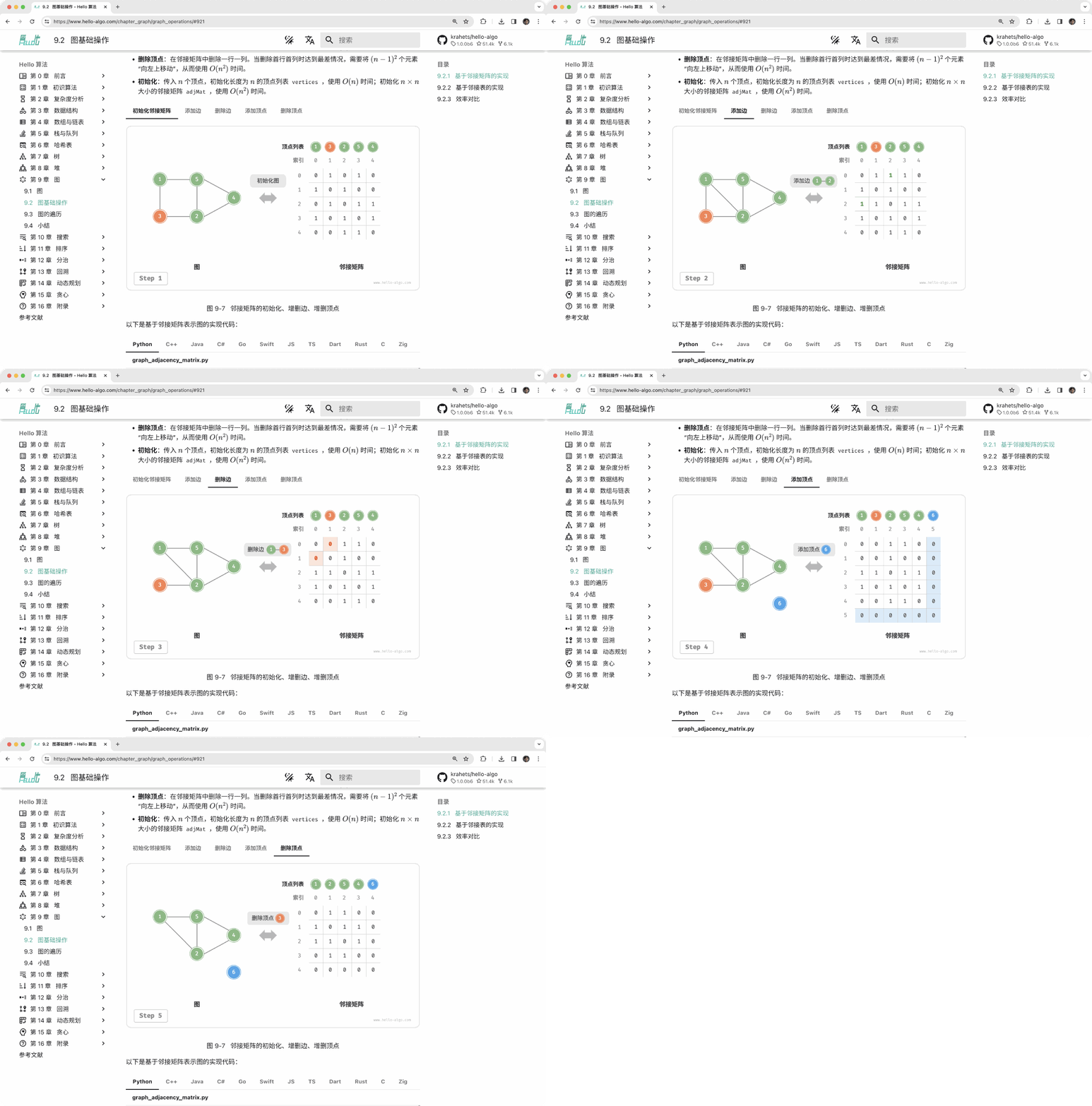
Figure 0-2 Example of animated illustrations
0.2.3 Deepening Understanding Through Code Practice
The accompanying code for this book is hosted in the GitHub repository. As shown in Figure 0-3, the source code comes with test cases and can be run with one click.
If time permits, it is recommended that you type out the code yourself. If you have limited study time, please at least read through and run all the code.
Compared to reading code, the process of writing code often brings more rewards. Learning by doing is the real learning.
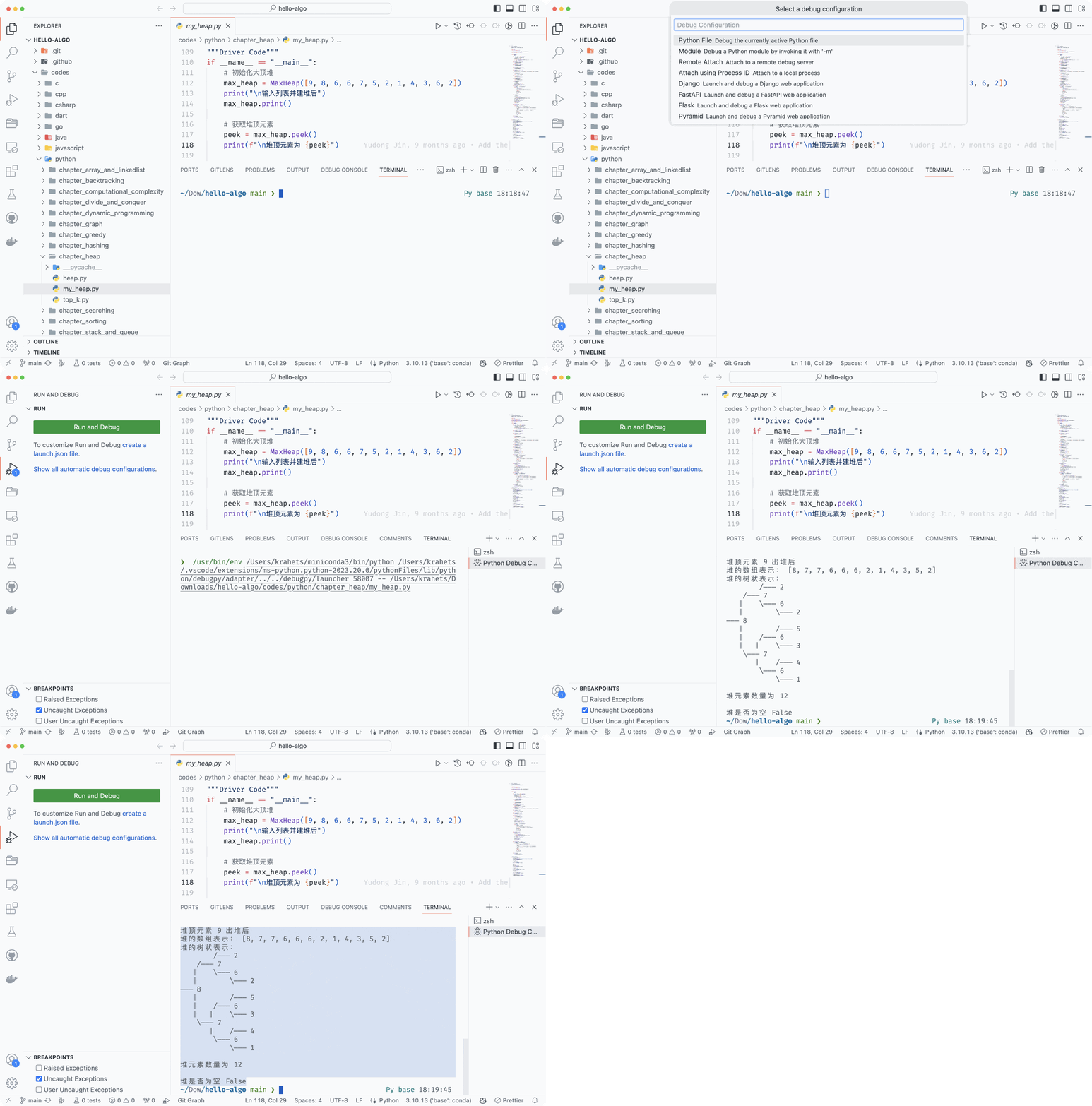
Figure 0-3 Example of running code
The preliminary work for running code is mainly divided into three steps.
Step 1: Install the local programming environment. Please follow the tutorial shown in the appendix for installation. If already installed, you can skip this step.
Step 2: Clone or download the code repository. Visit the GitHub repository. If you have already installed Git, you can clone this repository with the following command:
Of course, you can also click the "Download ZIP" button at the location shown in Figure 0-4 to directly download the code compressed package, and then extract it locally.

Figure 0-4 Clone repository and download code
Step 3: Run the source code. As shown in Figure 0-5, for code blocks with file names at the top, we can find the corresponding source code files in the codes folder of the repository. The source code files can be run with one click, which will help you save unnecessary debugging time and allow you to focus on learning content.

Figure 0-5 Code blocks and corresponding source code files
In addition to running code locally, the web version also supports visual running of Python code (implemented based on pythontutor). As shown in Figure 0-6, you can click "Visual Run" below the code block to expand the view and observe the execution process of the algorithm code; you can also click "Full Screen View" for a better viewing experience.

Figure 0-6 Visual running of Python code
0.2.4 Growing Together Through Questions and Discussions
When reading this book, please do not easily skip knowledge points that you have not learned well. Feel free to ask your questions in the comments section, and my friends and I will do our best to answer you, and generally reply within two days.
As shown in Figure 0-7, the web version has a comments section at the bottom of each chapter. I hope you will pay more attention to the content of the comments section. On the one hand, you can learn about the problems that everyone encounters, thus checking for omissions and stimulating deeper thinking. On the other hand, I hope you can generously answer other friends' questions, share your insights, and help others progress.
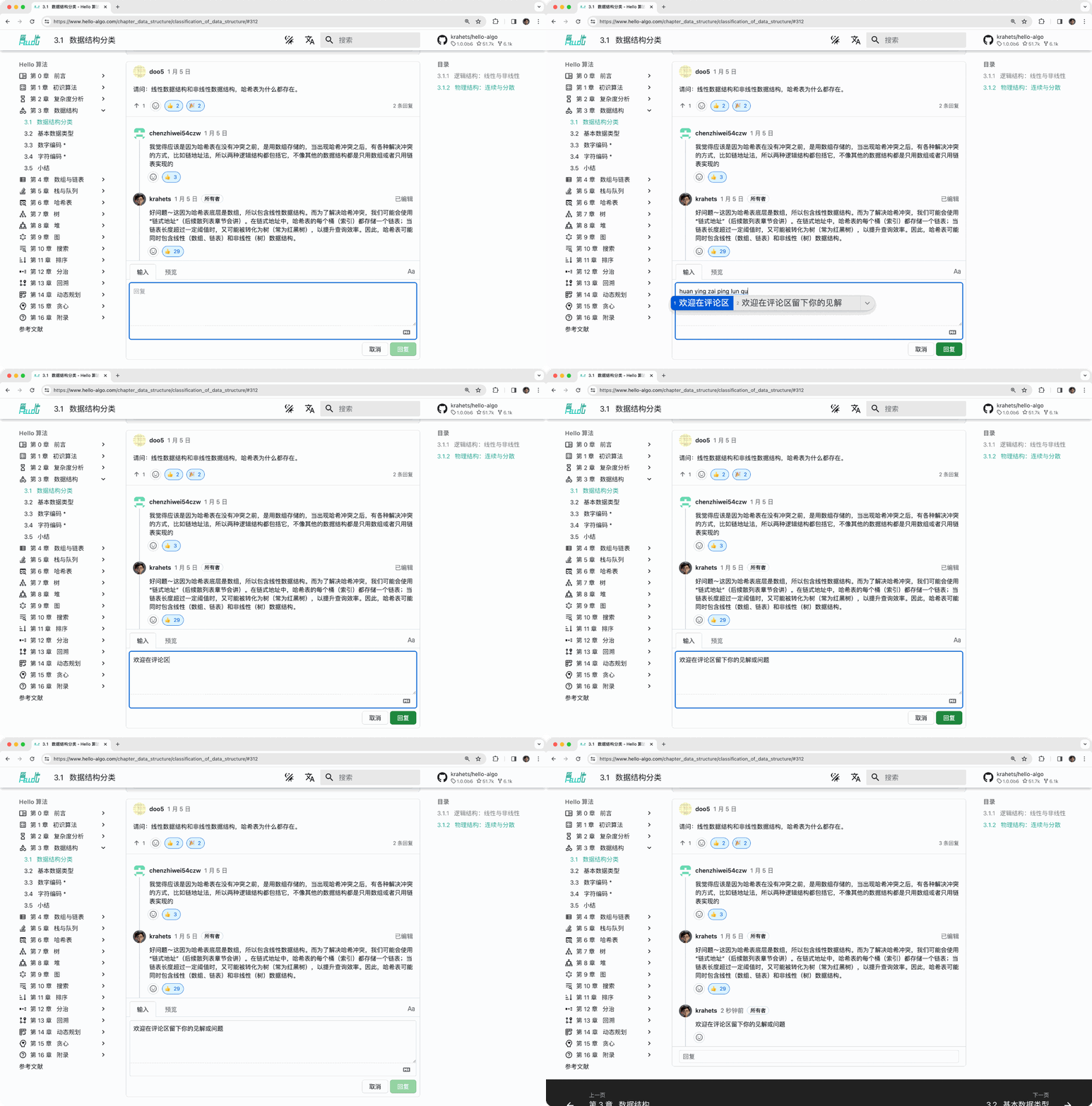
Figure 0-7 Example of comments section
0.2.5 Algorithm Learning Roadmap
From an overall perspective, we can divide the process of learning data structures and algorithms into three stages.
- Stage 1: Algorithm introduction. We need to familiarize ourselves with the characteristics and usage of various data structures, and learn the principles, processes, uses, and efficiency of different algorithms.
- Stage 2: Practice algorithm problems. It is recommended to start with popular problems, and accumulate at least 100 problems first, to familiarize yourself with mainstream algorithm problems. When first practicing problems, "knowledge forgetting" may be a challenge, but rest assured, this is very normal. We can review problems according to the "Ebbinghaus forgetting curve", and usually after 3-5 rounds of repetition, we can firmly remember them. For recommended problem lists and practice plans, please see this GitHub repository.
- Stage 3: Building a knowledge system. In terms of learning, we can read algorithm column articles, problem-solving frameworks, and algorithm textbooks to continuously enrich our knowledge system. In terms of practicing problems, we can try advanced problem-solving strategies, such as categorization by topic, one problem multiple solutions, one solution multiple problems, etc. Related problem-solving insights can be found in various communities.
As shown in Figure 0-8, the content of this book mainly covers "Stage 1", aiming to help you more efficiently carry out Stage 2 and Stage 3 learning.

Figure 0-8 Algorithm learning roadmap